Top 5 Security Vulnerabilities in AI-Generated Apps
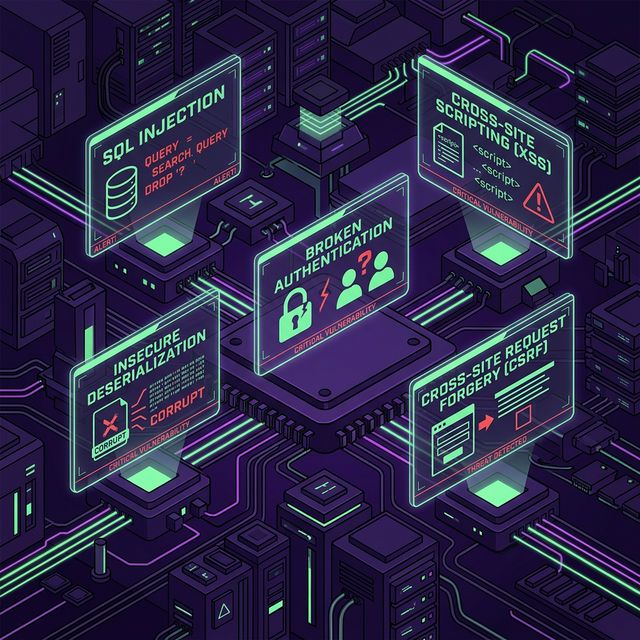
AI coding assistants ship apps fast but create predictable security blind spots. The top 5 vulnerabilities to watch for.
AI coding assistants like Lovable, Bolt, Cursor, and Replit can ship working apps in hours. But the same speed that makes them powerful also creates predictable security blind spots. In our analysis of hundreds of vibe-coded apps, five vulnerability classes appear again and again.
Why AI Assistants Create These Patterns
Large language models are trained on billions of lines of code scraped from the public internet. That corpus contains a lot of insecure code — old StackOverflow answers from 2012, tutorial blog posts that skip authorization, quick prototypes where security wasn't the priority. The model learns that this style of code is syntactically acceptable and functionally correct, because it is. It compiles, it runs, and it passes the immediate test.
AI assistants are also optimized for the "happy path." When you ask Cursor to "build a feature that fetches a URL summary," the model wants to give you something that works end-to-end in the fewest possible steps. Adding DNS resolution pre-validation, private IP blocklists, and allowlist checks adds complexity that slows the demo down — so the model skips them.
The result is code that's production-shaped but security-hollow. It looks professional, it handles edge cases in the UX layer, but the attack surface is wide open.
Understanding these patterns doesn't mean AI tools are bad — it means you need to know what to review before you ship.
1. SQL Injection in Auto-Generated Queries
OWASP Category: A03:2021 — Injection
When an LLM generates database queries, it often prioritizes functionality over security. The result is code like this:
// Common pattern in AI-generated code — DANGEROUS
const user = await db.query(
  `SELECT * FROM users WHERE id = ${req.params.id}`
);
String interpolation directly into SQL queries allows an attacker to manipulate the query structure. A simple input like 1 OR 1=1 can dump your entire users table. A more targeted payload like 1; DROP TABLE users; -- can destroy your data entirely.
Real-World Impact
SQL injection has been exploited for decades, but it keeps appearing because AI tools regenerate old patterns. In 2024, a popular AI-scaffolded startup had their entire user database exfiltrated through an injectable search endpoint that looked exactly like the pattern above. The attacker used UNION SELECT-based injection to retrieve password hashes and email addresses from unrelated tables.
How to Detect It
Search your codebase for template literals that include request parameters:
# Grep for dangerous patterns
grep -rn "query\`.*\${req\." ./src
grep -rn "query\`.*\${params\." ./src
grep -rn "WHERE.*\${" ./src
Any match that includes user-controlled input is a candidate for injection.
The Fix
Always use parameterized queries or an ORM with proper escaping:
// Safe version — parameterized query
const user = await db.query(
  'SELECT * FROM users WHERE id = $1',
  [req.params.id]
);

// Or with Prisma (ORM handles escaping automatically)
const user = await prisma.user.findUnique({
  where: { id: parseInt(req.params.id) }
});
The ORM approach also gives you type safety — if id is expected to be a number, TypeScript will catch string injection at compile time.
2. Exposed API Keys in Client-Side Code
OWASP Category: A02:2021 — Cryptographic Failures
AI assistants often inline credentials directly in frontend code to make prototypes "just work." This is one of the most common critical findings VibeShield detects.
// Found in production JS bundles — real patterns we detect
const openai = new OpenAI({ apiKey: "sk-proj-abc123..." });
const stripe = new Stripe("sk_live_xyz789...");
Bundled secrets are readable by anyone who opens DevTools. Keys leaked this way are actively harvested by automated scanners within hours of deployment.
Real-World Impact
Automated bots continuously crawl public JavaScript bundles looking for API keys. Once an OpenAI key is found, attackers use it to run GPT-4 requests at scale, generating bills of $10,000–$50,000 before the developer notices. Stripe secret keys give access to your entire customer payment history and the ability to issue refunds or create fake subscriptions.
How to Detect It
# Check your built bundle for common key patterns
npm run build
grep -r "sk-proj-\|sk_live_\|AKIA\|service_role\|ghp_\|sk-ant-" .next/static/

# Check for NEXT_PUBLIC_ variables that hold secrets
grep -r "NEXT_PUBLIC_" .env
The Fix
Move all API calls to a backend proxy. Never initialize API clients with secrets in frontend code.
// app/api/generate/route.ts — server-side only
const openai = new OpenAI({
  apiKey: process.env.OPENAI_API_KEY,  // no NEXT_PUBLIC_ prefix
});

export async function POST(req: Request) {
  const session = await auth();
  if (!session) return new Response("Unauthorized", { status: 401 });

  const { prompt } = await req.json();
  const result = await openai.chat.completions.create({
    model: "gpt-4o",
    messages: [{ role: "user", content: prompt }],
  });
  return Response.json(result);
}
For a deep dive on how keys end up in bundles and how to prevent all the patterns, see How Exposed API Keys End Up in JS Bundles.
3. Missing Authorization on API Endpoints
OWASP Category: A01:2021 — Broken Access Control
AI generates frontend and backend in isolation. A common pattern: the UI hides admin buttons for non-admin users, but the underlying API endpoints have no server-side authorization check.
// AI generates this — looks fine in the UI
app.get('/api/admin/users', async (req, res) => {
  const users = await db.users.findMany();
  res.json(users);
});
// But there's no auth middleware protecting it
Any attacker who reads your frontend JavaScript can discover these endpoints and call them directly.
Real-World Impact
This is called a "horizontal privilege escalation." An attacker logs in as a regular user, reads the frontend bundle to discover API routes, and calls admin endpoints directly with their own valid session cookie. The server sees an authenticated request and returns data without checking the role.
How to Detect It
# Find API routes missing auth checks
grep -rn "export async function GET\|export async function POST" ./app/api --include="*.ts" -l | \
  xargs grep -rL "auth()\|getSession\|verifyJWT"
Any file that appears in the output — has a route handler but no auth call — is a candidate for missing authorization.
The Fix
Treat every API endpoint as publicly accessible. Verify identity and permissions on the server for every request.
// app/api/admin/users/route.ts
import { auth } from "@/auth";

export async function GET(req: Request) {
  const session = await auth();

  // Step 1: Is the user authenticated?
  if (!session?.user) {
    return new Response("Unauthorized", { status: 401 });
  }

  // Step 2: Does the user have the right role?
  if (session.user.role !== "ADMIN") {
    return new Response("Forbidden", { status: 403 });
  }

  const users = await db.users.findMany();
  return Response.json(users);
}
4. SSRF via User-Supplied URLs
OWASP Category: A10:2021 — Server-Side Request Forgery (SSRF)
Server-Side Request Forgery is particularly common in apps with "fetch URL" or "webhook" features — exactly the kind of thing vibe-coded apps build quickly.
// Dangerous: user controls the URL
app.post('/api/fetch-preview', async (req, res) => {
  const response = await fetch(req.body.url);
  res.json(await response.json());
});
An attacker can pass http://169.254.169.254/latest/meta-data/ to steal AWS credentials, or http://localhost:5432 to probe internal services.
Real-World Impact
SSRF was the root cause of the Capital One breach in 2019, which exposed 100 million customer records. The attacker used an SSRF vulnerability in a web application firewall to reach the AWS instance metadata service and steal IAM credentials. While your app may not have 100 million customers, an SSRF can still give attackers access to your database credentials, internal admin panels, and cloud provider APIs.
How to Detect It
Look for any endpoint that accepts a URL parameter and passes it to fetch(), axios.get(), http.request(), or similar:
grep -rn "fetch(req\.\|fetch(body\.\|fetch(url\|axios.get(url" ./app/apiThe Fix
Validate URLs against an allowlist, resolve DNS before making requests, and block private IP ranges.
import dns from "dns/promises";
import { URL } from "url";

const BLOCKED_RANGES = [
  /^10\./,
  /^192\.168\./,
  /^172\.(1[6-9]|2\d|3[01])\./,
  /^127\./,
  /^169\.254\./,
  /^::1$/,
  /^fc00:/,
];

async function isSafeUrl(rawUrl: string): Promise<boolean> {
  const parsed = new URL(rawUrl);
  if (!["http:", "https:"].includes(parsed.protocol)) return false;

  const addresses = await dns.resolve4(parsed.hostname);
  return addresses.every(ip => !BLOCKED_RANGES.some(r => r.test(ip)));
}
For a full treatment of SSRF including blind SSRF and framework-specific fixes, see SSRF from ChatGPT and Claude.
5. Insecure Direct Object References (IDOR)
OWASP Category: A01:2021 — Broken Access Control
AI-generated CRUD endpoints often use sequential IDs without checking whether the authenticated user owns the resource:
// Common AI-generated pattern — no ownership check
app.get('/api/orders/:id', async (req, res) => {
  const order = await db.orders.findById(req.params.id);
  res.json(order);
});
An attacker logged in as user 42 can simply increment the ID to read orders belonging to users 43, 44, 45…
Real-World Impact
IDOR vulnerabilities are consistently in the top bug bounty findings because they're so easy to exploit. An attacker needs only a browser and the ability to change a number in a URL. In B2B SaaS apps, this often means one customer can access another customer's data — a serious GDPR breach.
The Fix
Always verify resource ownership. Filter by both the resource ID and the authenticated user's ID:
// Correct: filters by both ID and user ownership
app.get('/api/orders/:id', requireAuth, async (req, res) => {
  const order = await db.orders.findOne({
    where: {
      id: req.params.id,
      userId: req.user.id  // ensures user owns this order
    }
  });

  if (!order) {
    return res.status(404).json({ error: "Not found" });
  }

  res.json(order);
});
6. Insecure Direct Object References in Supabase
Supabase deserves its own section because the IDOR pattern takes a slightly different form. When using Supabase's auto-generated REST API or client SDK, authorization depends entirely on Row-Level Security (RLS) policies — and AI tools frequently skip them.
-- What AI tools often generate: allows any authenticated user to read any row
CREATE POLICY "Allow all authenticated"
ON orders FOR SELECT
TO authenticated
USING (true);  -- no ownership check!
The consequence is that any signed-in user can query supabase.from('orders').select('*') and receive everyone's orders.
The correct policy:
-- Correct: each user can only see their own rows
CREATE POLICY "Users see own orders"
ON orders FOR SELECT
TO authenticated
USING (auth.uid() = user_id);
For a complete guide to Supabase RLS including multi-tenant patterns and storage policies, see How to Secure Supabase RLS.
How to Audit Your Vibe-Coded App
Before your next deployment, run through this sequence:
Step 1 — Secret scan your bundle
npm run build && grep -r "sk-proj-\|sk_live_\|AKIA" .next/static/Step 2 — Find unprotected routes
# Routes missing auth() calls
grep -rL "auth()\|getSession" ./app/api --include="*.ts"
Step 3 — Check Supabase RLS
SELECT tablename, rowsecurity
FROM pg_tables
WHERE schemaname = 'public' AND rowsecurity = false;
Step 4 — Look for raw URL fetches
grep -rn "fetch(req\.\|fetch(body\." ./app/api --include="*.ts"Step 5 — Run an automated scan
Manual auditing misses what's between the cracks. VibeShield crawls your deployed app, finds all API endpoints, and tests them with real payloads — including SSRF probes, auth bypass attempts, and secret pattern matching on your JavaScript bundles.
FAQ
Is vibe-coded code always insecure?
No. AI assistants produce insecure code in predictable patterns, not randomly. If you know what to look for — the five categories above — you can systematically review and fix them. Many vibe-coded apps ship with no critical vulnerabilities because the developer reviewed the output carefully. The risk is treating AI-generated code as automatically reviewed.
Which AI tools produce the most secure code by default?
As of early 2026, Claude (Anthropic) and GPT-4o tend to produce more defensive code patterns when given security-focused system prompts. However, all LLMs will generate insecure code when asked for working prototypes without explicit security requirements. The tool matters less than your review process.
How long does a security audit take?
A manual code review of a small-to-medium SaaS (15-30 routes) takes an experienced security engineer 4-8 hours. An automated scan with VibeShield takes under 3 minutes and covers the most common vulnerability classes. Use both: automated scanning as a first pass, manual review for business logic flaws.
Do these vulnerabilities only appear in small apps?
No. Larger vibe-coded apps have more surface area, which means more opportunities for these patterns to slip through. The same vulnerability categories appear in apps with 100,000 users as in weekend side projects. Scale makes the consequences worse, not the likelihood lower.
Free security scan
Test your app for these vulnerabilities
VibeShield automatically scans for everything covered in this article and more — 18 security checks in under 3 minutes.
Scan your app free